Let your bots place the trades.
Bridge is a Windows program that runs on your computer. It sends your bots' alerts to your TradeStation account, so the trades are placed for you. You still choose the stock, the settings and when each bot is on.
From signal to order, on your own computer.
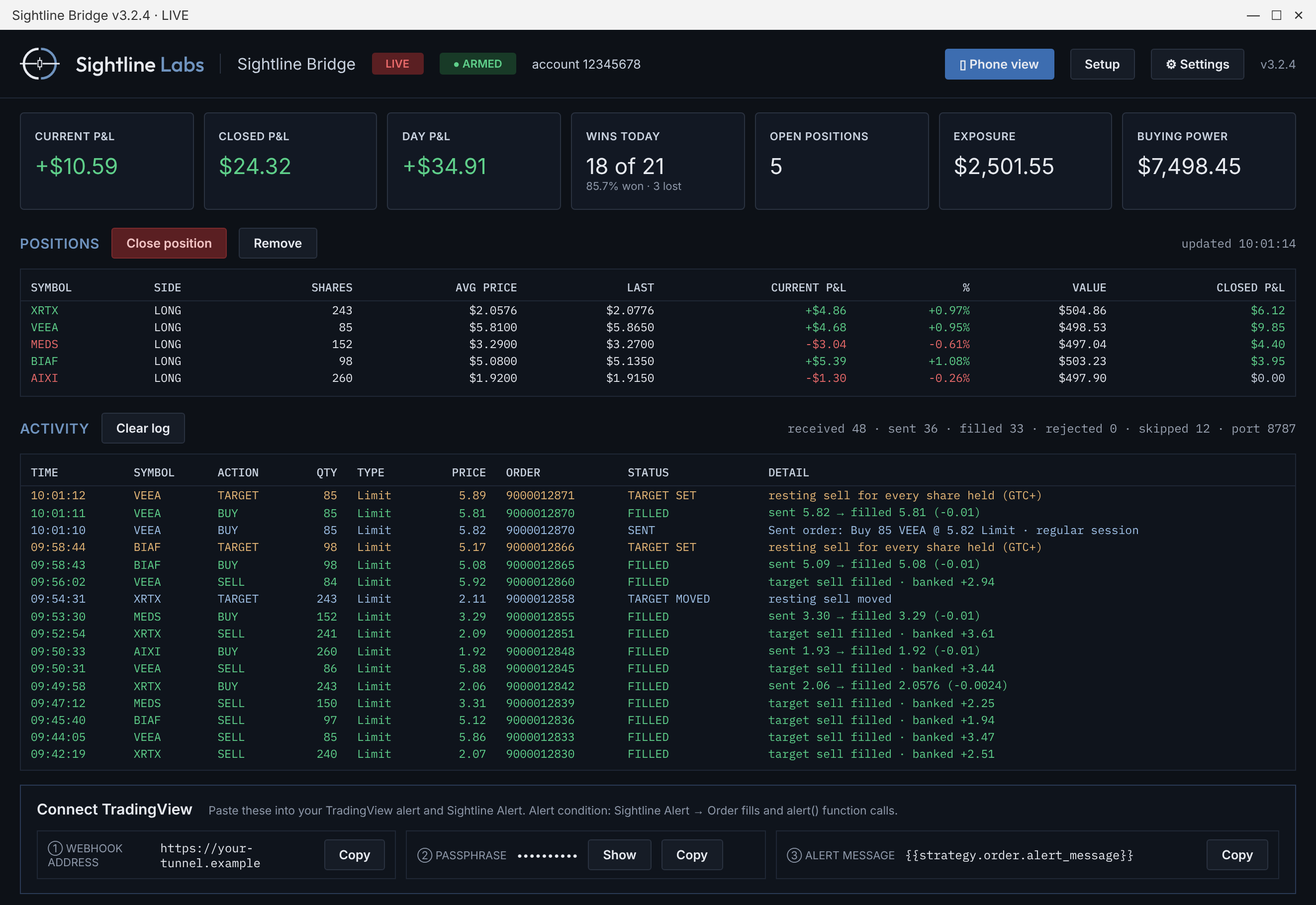
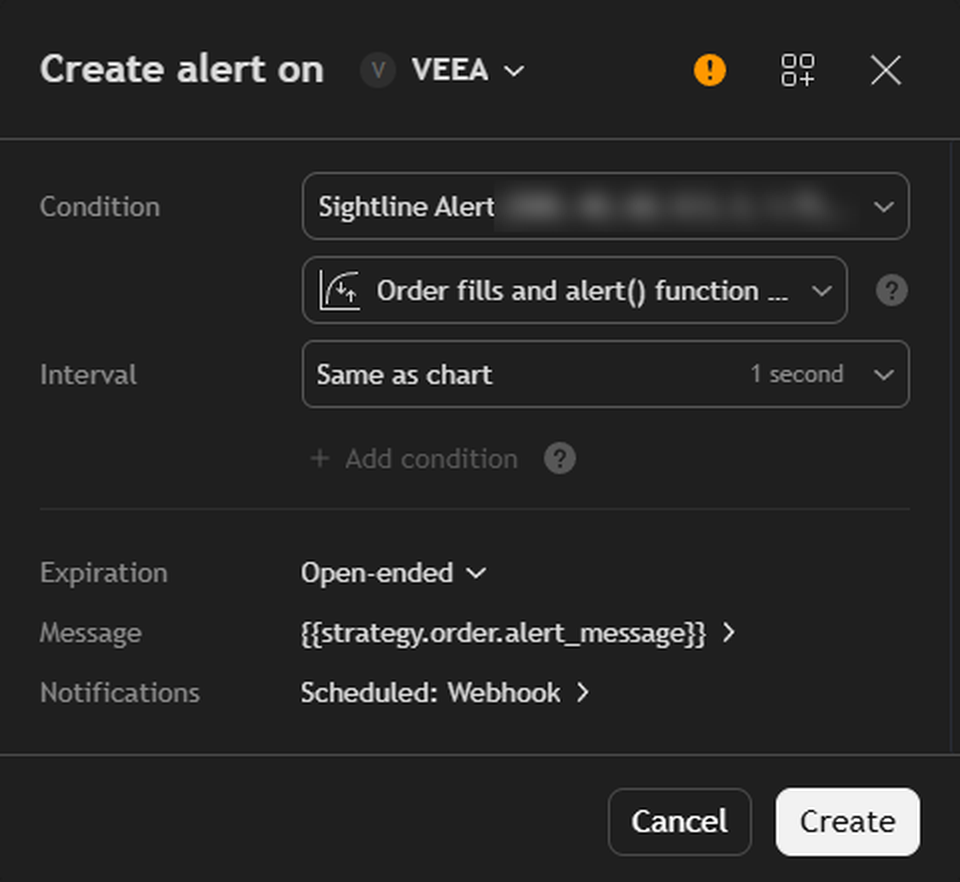
Bridge's Connect TradingView box gives you the webhook address, passphrase and alert message to paste into your TradingView alert. The manual shows every click.
Exits set the moment you buy.
Take profit, placed right away
When a buy goes in, Bridge also sends a limit sell at your take profit price. It sits waiting in TradeStation, so your exit is already in place.
Your manual buys count too
Buy more shares yourself in TradeStation and Bridge picks them up. It updates the resting sell order to cover every share you hold.
In control from your phone
See live trade stats, turn Bridge on or off, or close a trade by hand from the dashboard on your phone.
A limit order only fills if the price reaches it.
What you need
- An active Sightline subscription
- A TradeStation account with API access turned on
- A Windows computer that stays on while you trade
- A tunnel: ngrok, or your own such as a Cloudflare Tunnel
Our step-by-step manual walks you through the whole setup, start to finish, including the tunnel.
License
One-time purchase of $249 for one computer. Bridge stays active as long as your Sightline subscription is.
Your account stays yours
Bridge runs on your computer and uses your own TradeStation login. Sightline Labs never sees your brokerage account.
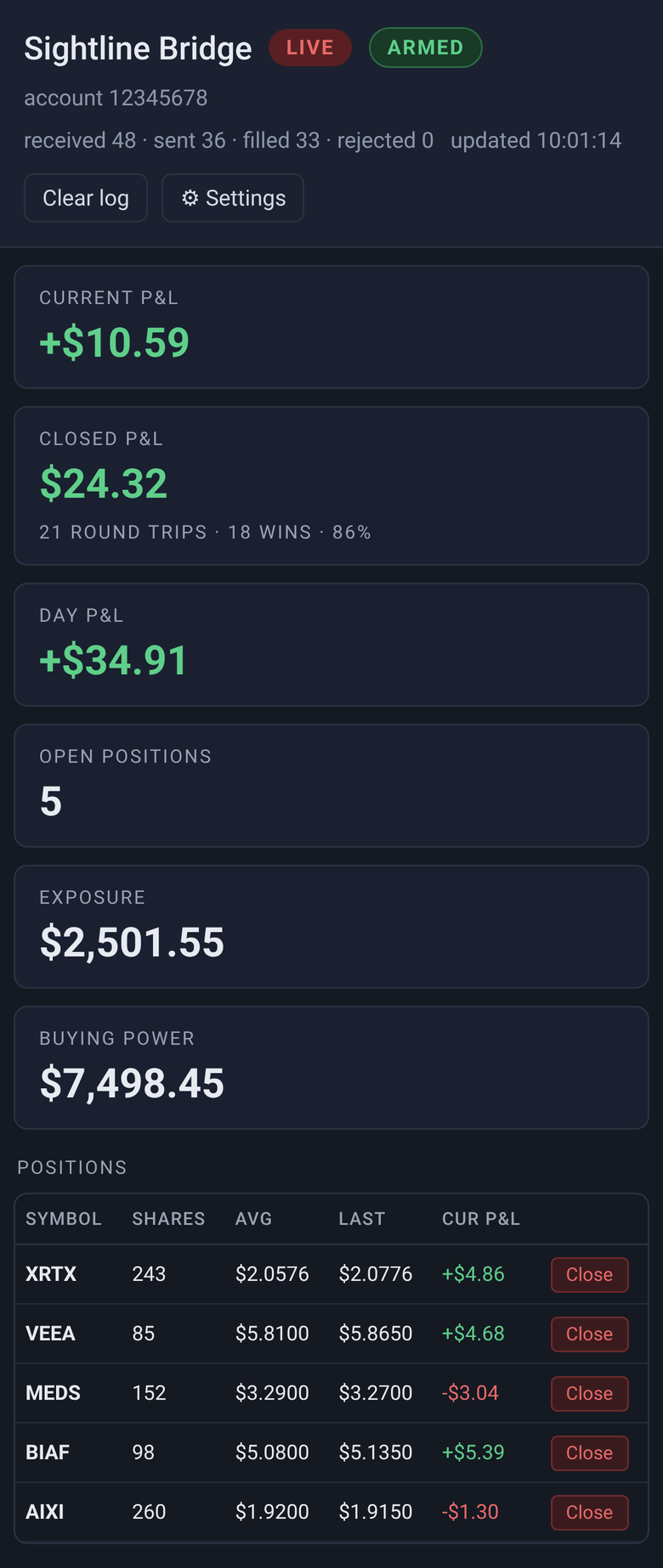
Your Bridge dashboard, on your computer and your phone
The dashboard is part of the Bridge program, not this website. Scan its QR code to open Bridge on your phone, where you can:
- See live trade stats
- Turn Bridge on or off
- Close trades by hand
Don't want to use Bridge? You don't need it. Without it, you place each trade yourself when your bot signals.
Software for everyday traders.
Questions? [email protected]